
SpeamCore package
Stock levels that are right — because they arise while you work.
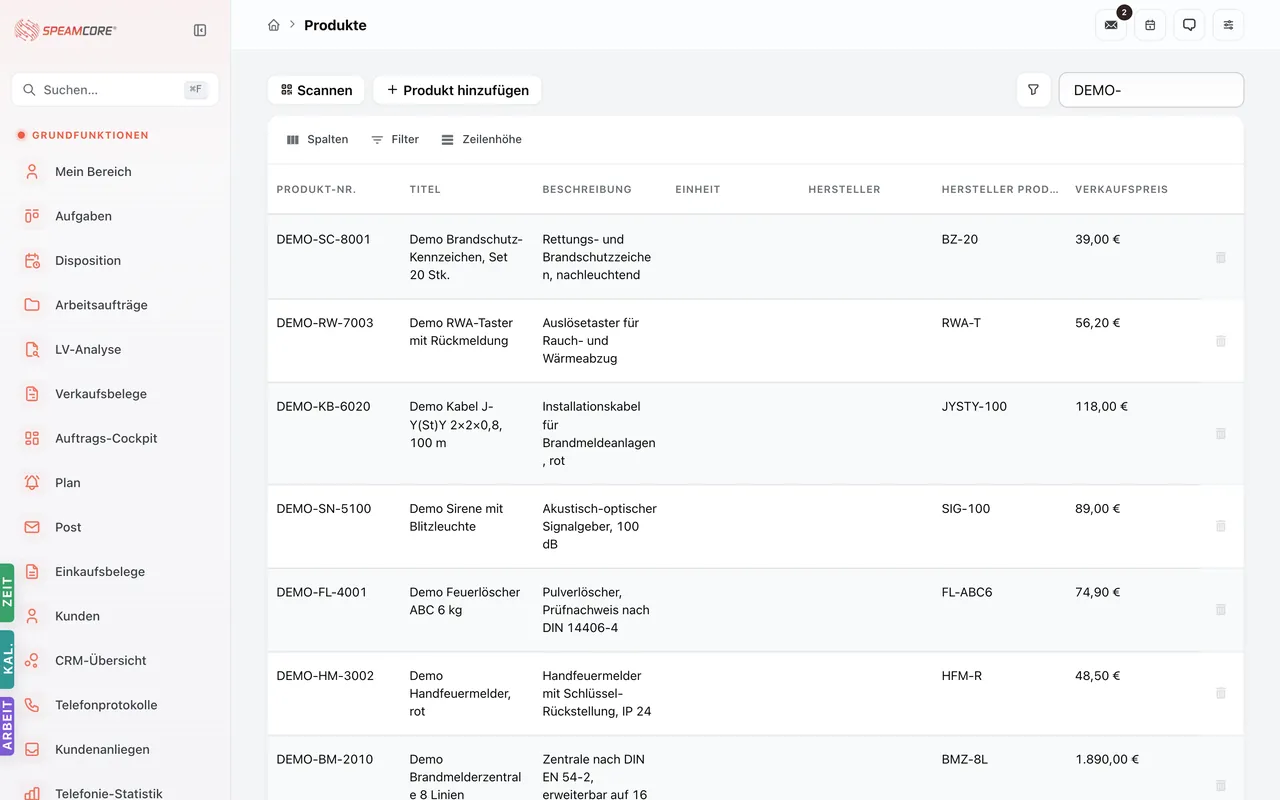
Products, product groups, warehouses, stocktaking, suppliers, manufacturers and purchase documents. Every withdrawal on a job posts to the warehouse, with no second entry.
13
modules in the package
39,50 €
per user and month
HS
customs codes maintained
Why stock levels are rarely right
"That part was still there."
When withdrawals happen on the side and are entered later, the stock on screen is always more optimistic than the shelf.
"Which supplier was cheaper?"
Without purchase documents on the product, price comparison is a memory exercise.
"Stocktaking costs us two days."
Because you count what was never posted. Booking movements as you go shortens the cut-off considerably.
From catalog to withdrawal.
Products
A catalog with structure
Products with groups, profiles, component types, units and attributes — the basis for purchasing, sales and stock.
Warehouse
Several places, one stock level
Warehouses per site, vehicle or construction site. Stock movements document every receipt and issue.
Purchase
Documents instead of notes
Purchase documents with line items, suppliers and manufacturers — prices and terms hang on the product, not in someone's head.
Stocktaking
Count what is left
Stocktaking with a variance view. If you post continuously, you count far less at the cut-off.
Foreign trade
HS codes maintained
Customs tariff numbers on the product — relevant as soon as goods cross a border.
Stock levels arise as a by-product.
The technician takes material on the job, purchasing books the delivery onto the document, sales consumes from the same stock. Nobody maintains a separate stock list — and the level is still right, because every movement is recorded where it happens.
The basis for sales and the store: both draw on the same product catalog.
Purchase document posted, stock increased
Procurement
Withdrawal on the work order
Site
Stock falls, reorder becomes visible
Warehouse
Stocktaking with a short variance list
Cut-off
Rollout in four steps
Import the catalog
Import products and product groups — from your existing list or from your supplier.
Create storage locations
Map the main warehouse, vehicles and site stores so stock is kept where it physically sits.
Link suppliers
Store terms and sources on the product so price comparison becomes possible.
First stocktake
Count once, then post continuously. From here the cut-off effort drops.
Per user — only for the people who use it.
€39.50 / month per user
plus VAT · requires the platform core
Questions we hear often
Can we work with barcodes or QR?
Yes — products and assets can be addressed unambiguously via QR IDs, which speeds up withdrawal and stocktaking.
Do we need this package for purchasing alone?
Yes, purchase documents live here. If you only sell, you also need the sales package.
How do existing items get into the system?
Through the import assistant in the platform core — mapping your columns onto the fields.
Does the package handle serial numbers?
Individual items are mapped as assets and components; the service package keeps their history.
Let's rebuild your material flow once.
We take a typical item and show the path from order through withdrawal to stocktaking.